
Duplicate charges
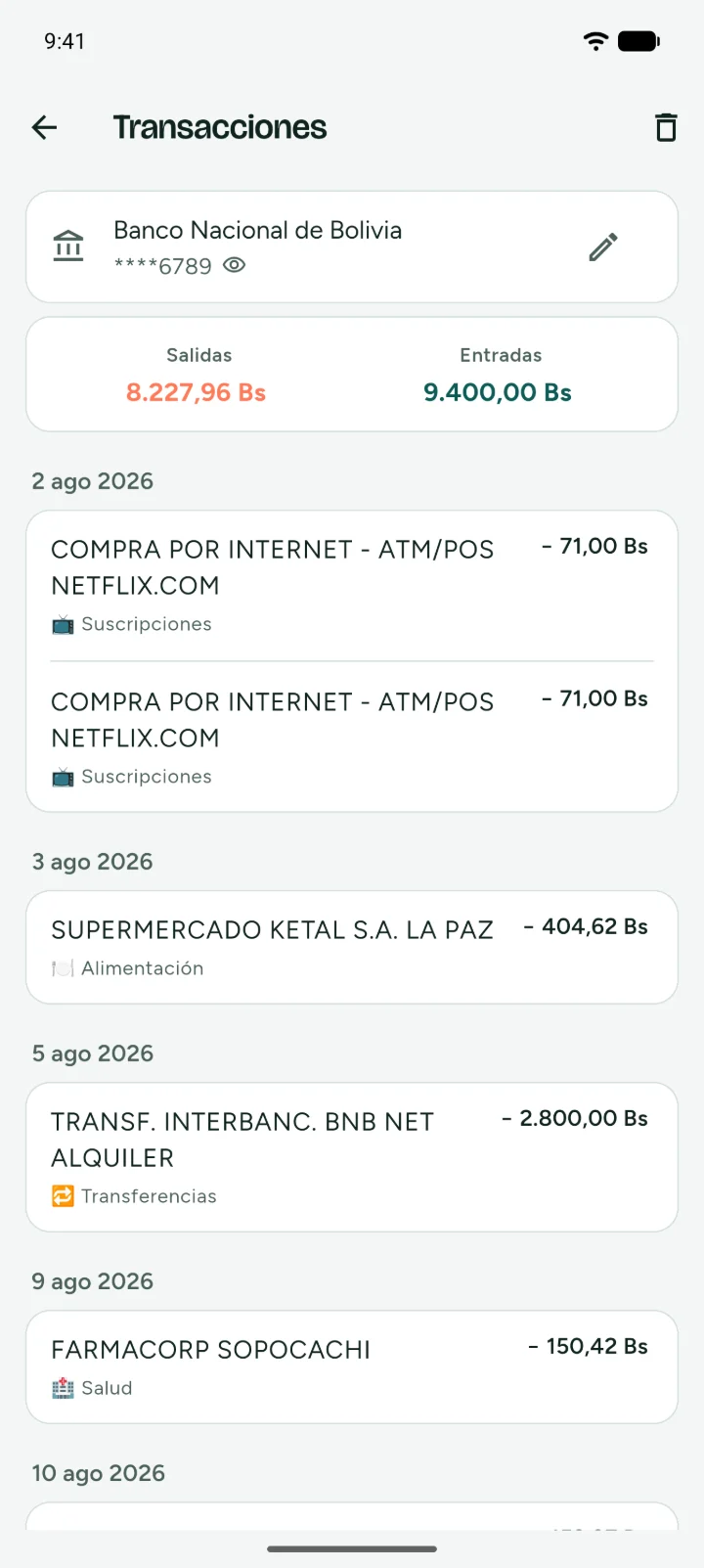
The same charge twice, on the same account and the same day.
Your bank already knows what you spend on. Now you do too.
Upload your bank statement and add your cash spending by hand. The app sorts every transaction by category and shows you the whole month.
Premium comes with a 14-day trial. Cancel from Google Play whenever you want.
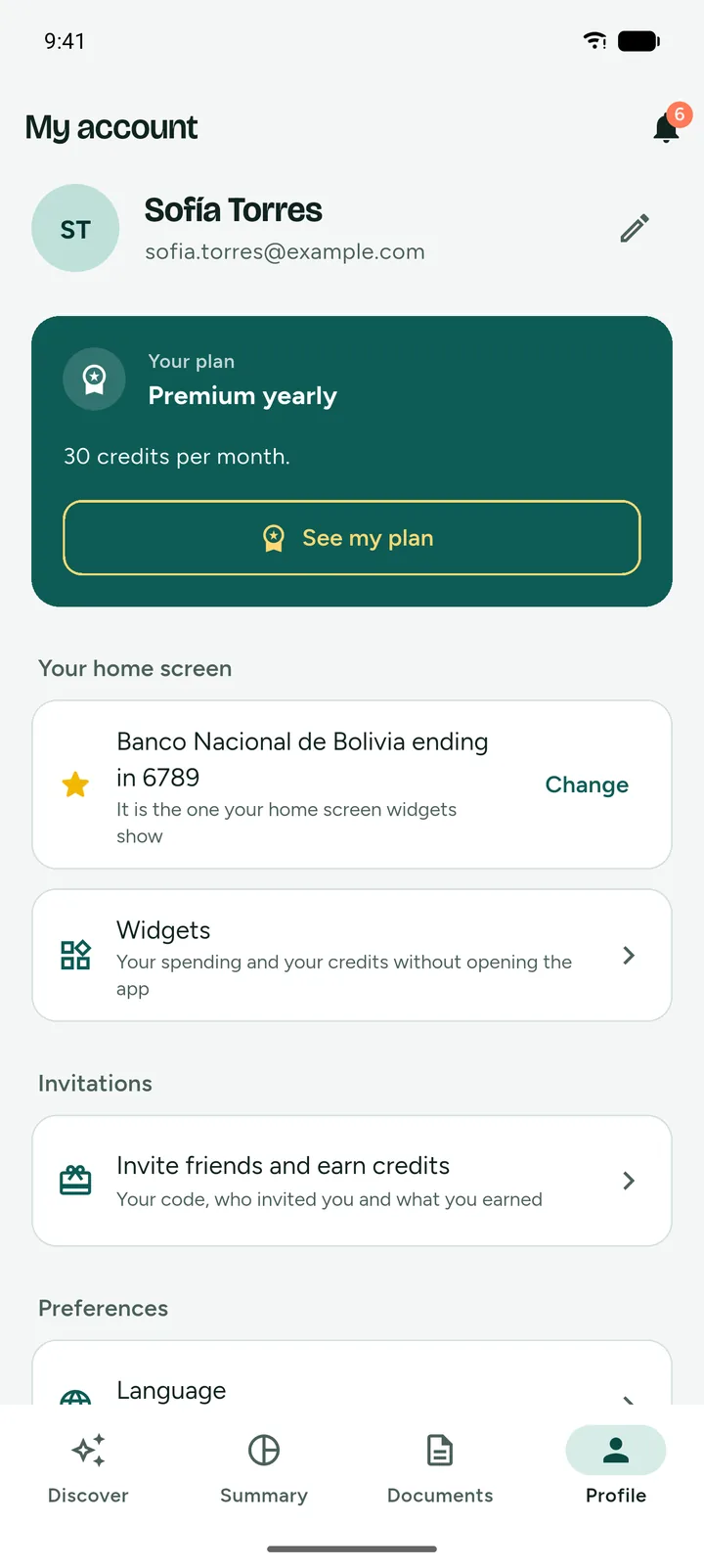
Tap the app's bar to change screens
Tested with real statements from
What Where's My Money is
We bring together what each bank sends you separately and what you add yourself. You know how much came in and where it went.
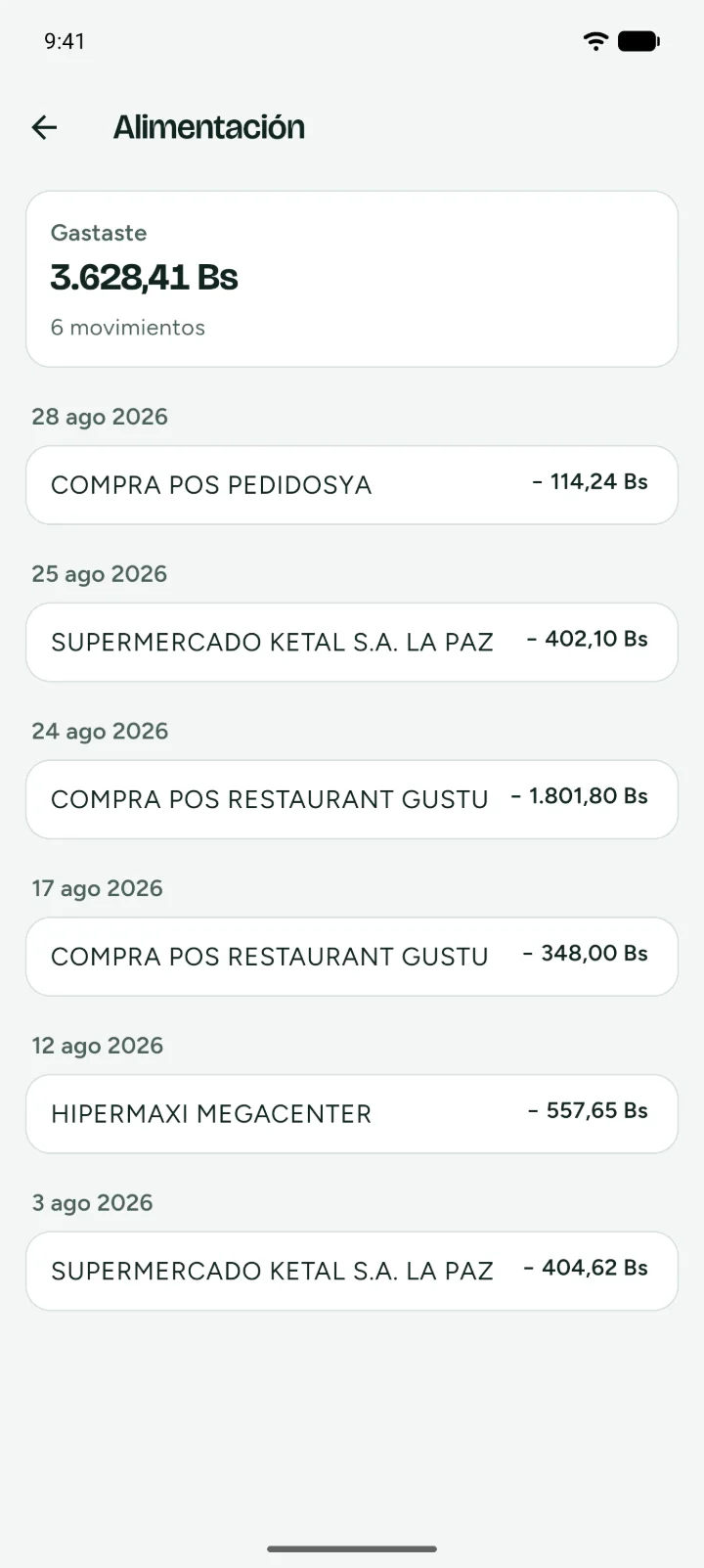
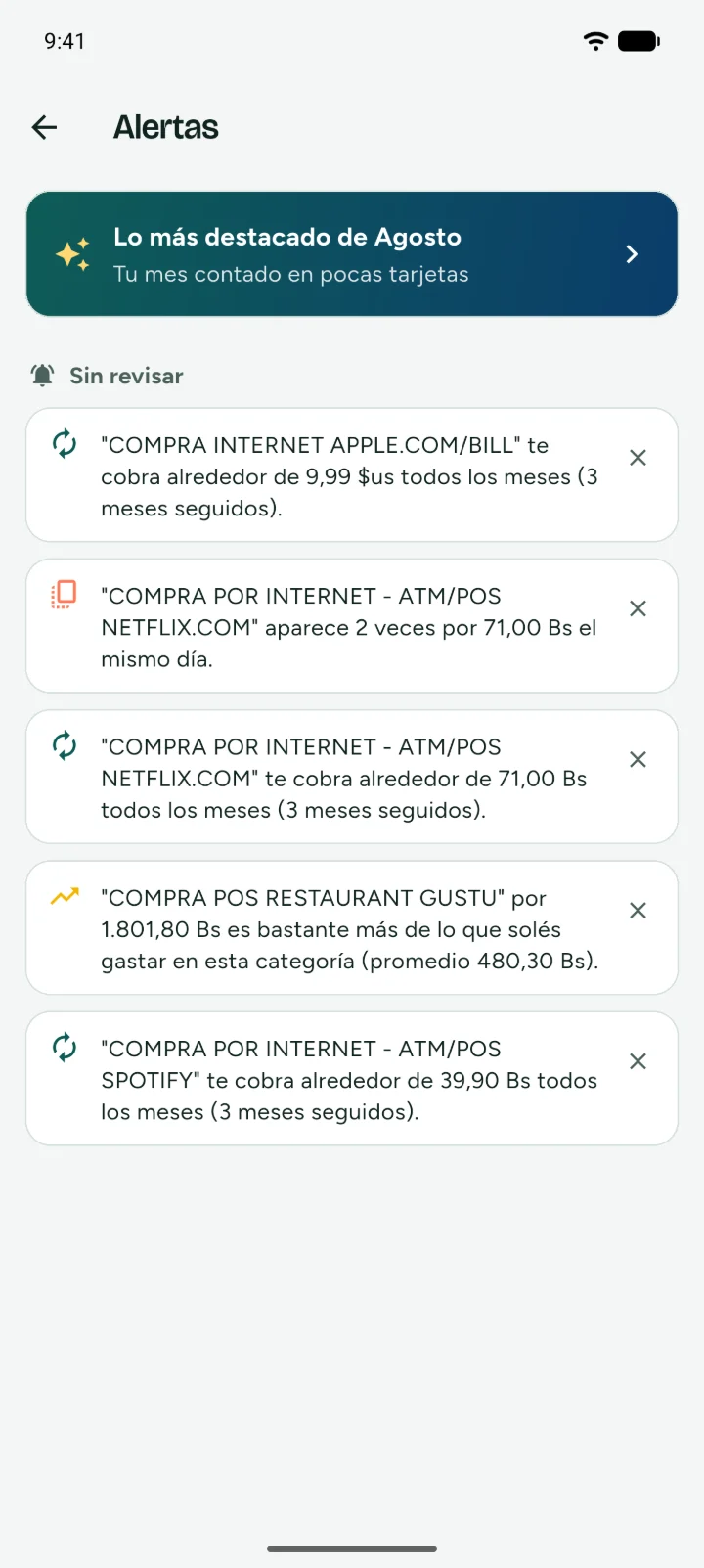
Where's My Money is an Android app made in Bolivia by Camba Labs. You upload the PDF of your bank statement and the app reads every transaction. What doesn't go through the bank, like cash, you add by hand. With both you follow the spending and income of all your accounts. It doesn't connect to your bank or ask for passwords.
You sign up with your email and a password, or sign in with your Google account. If you use Google, we only receive your email, your name and an account identifier, and we use them only to identify you in the app. The details are in the Privacy Policy and the Terms and Conditions.
Adding every expense by hand gets tiring, and almost nobody keeps it up. Your statement already has almost everything. By hand you only add what the bank doesn't see.
Start todayWe never ask for your bank password. We only read the PDF you upload.
Each one reads one month of a statement of one account. Premium has 30.
Duplicates, unusual amounts, subscriptions, price increases, bank fees and charges in another currency.
Discover shows what gets charged in the next month, with date and amount.
How it works
The PDF your bank sends you every month. If it came by email, share it straight to the app. On Premium you can also take a photo of a receipt.
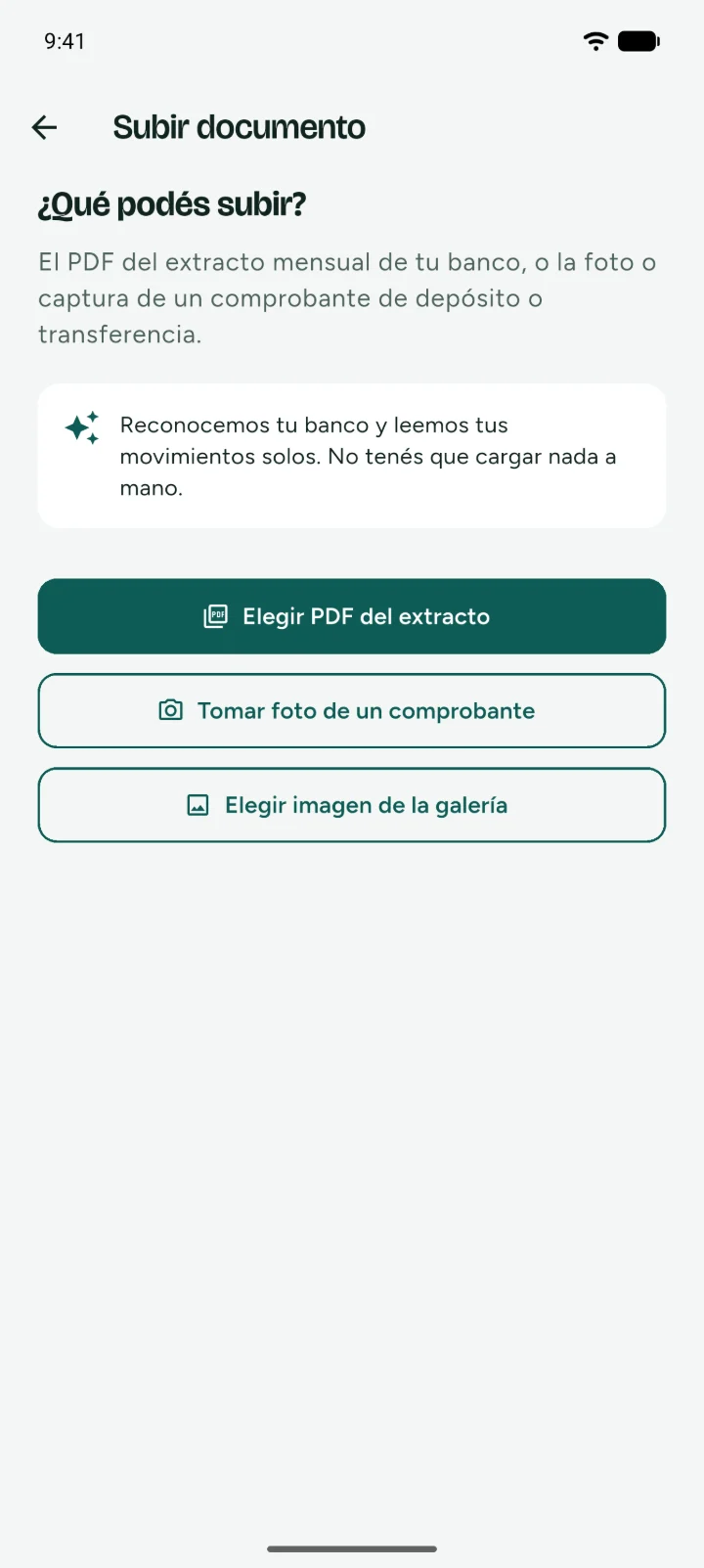
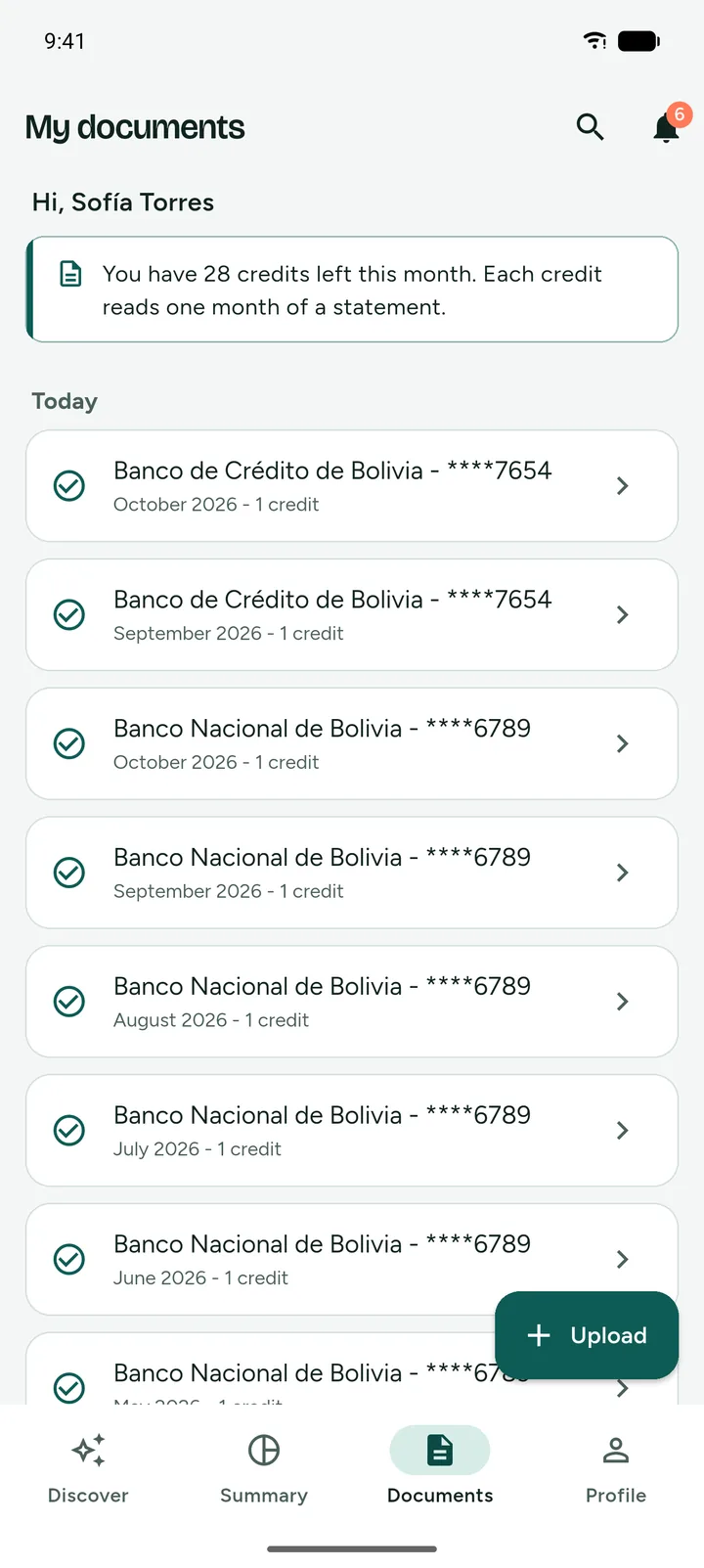
Every transaction gets its date, its amount and its category. While we read you keep using the app, and when it's ready you see it in Documents.
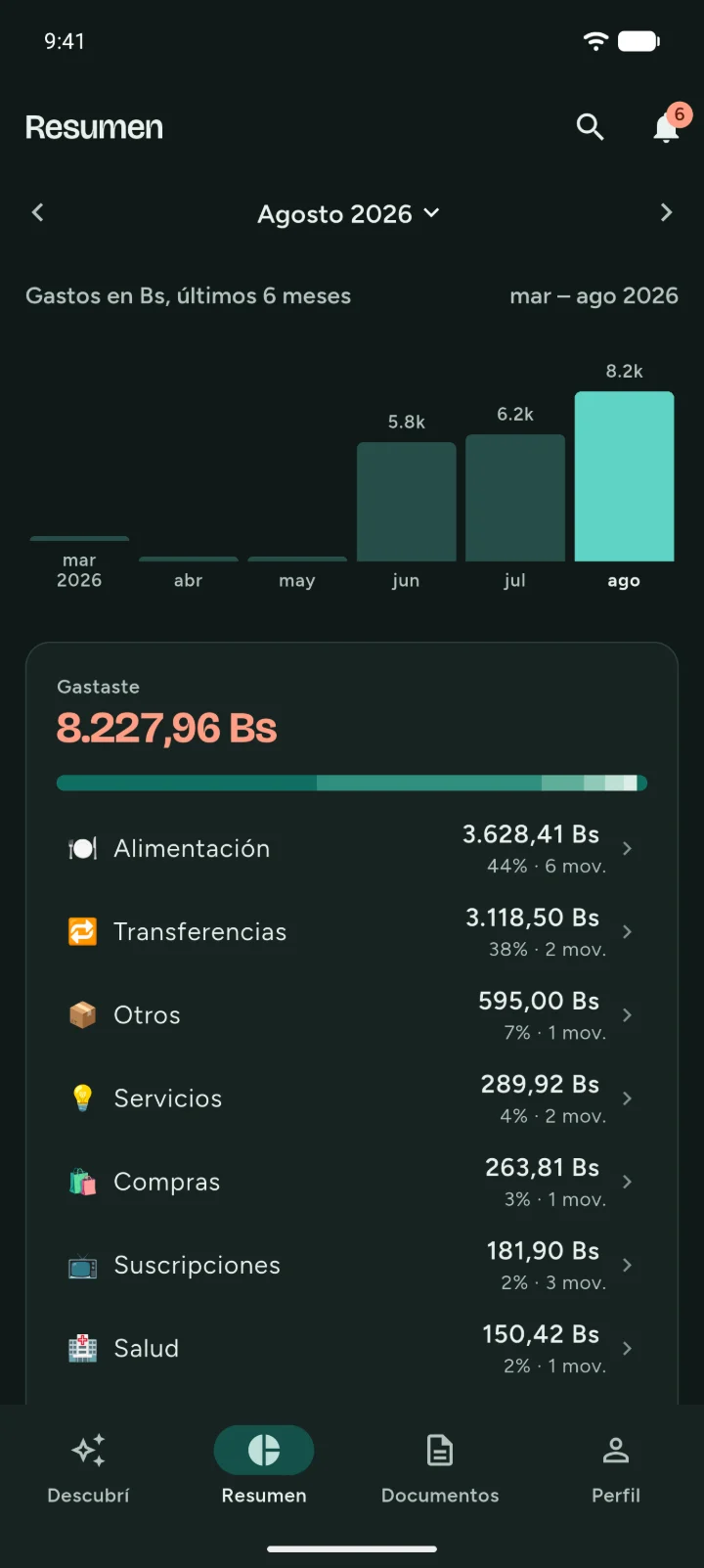
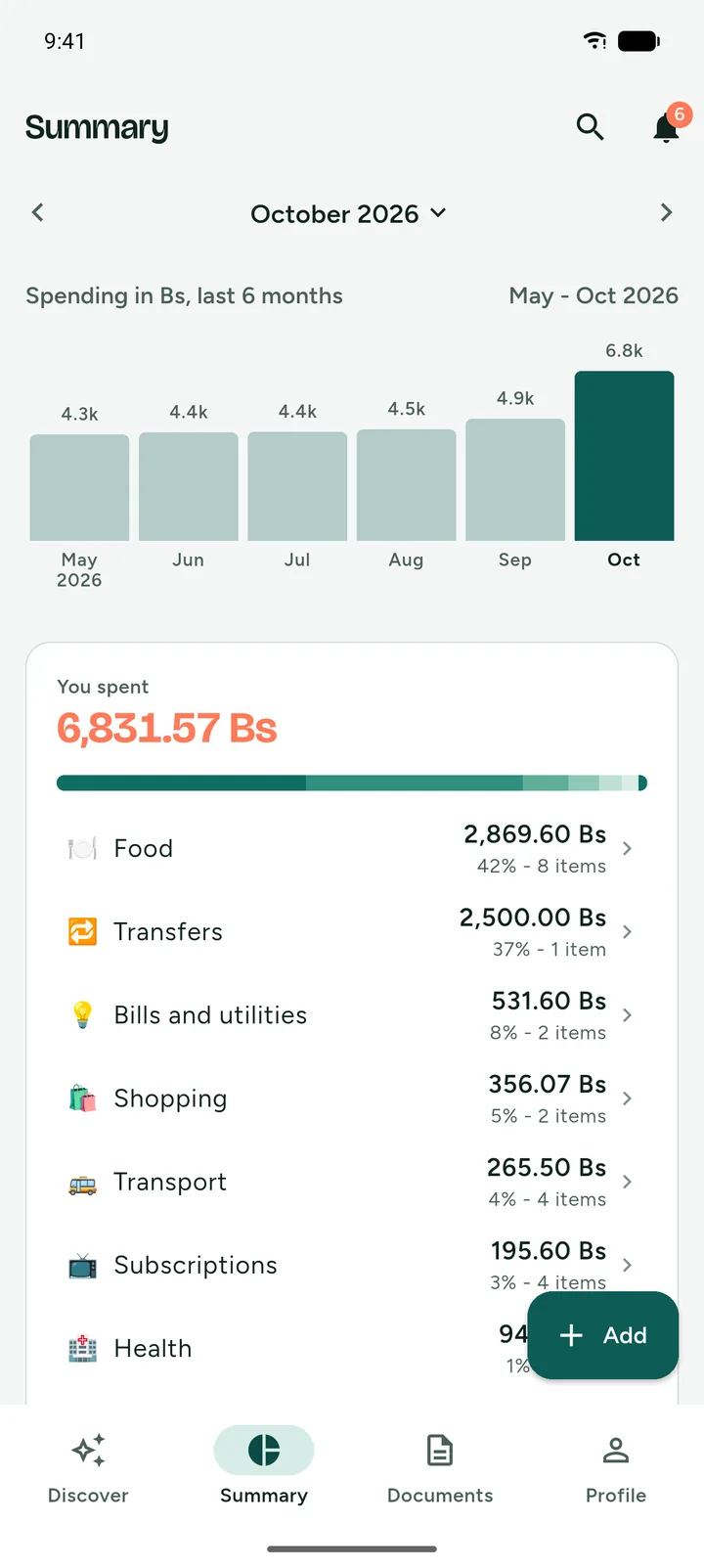
Your month by category and by account, with what came in and what went out. Bolivianos and dollars stay separate.
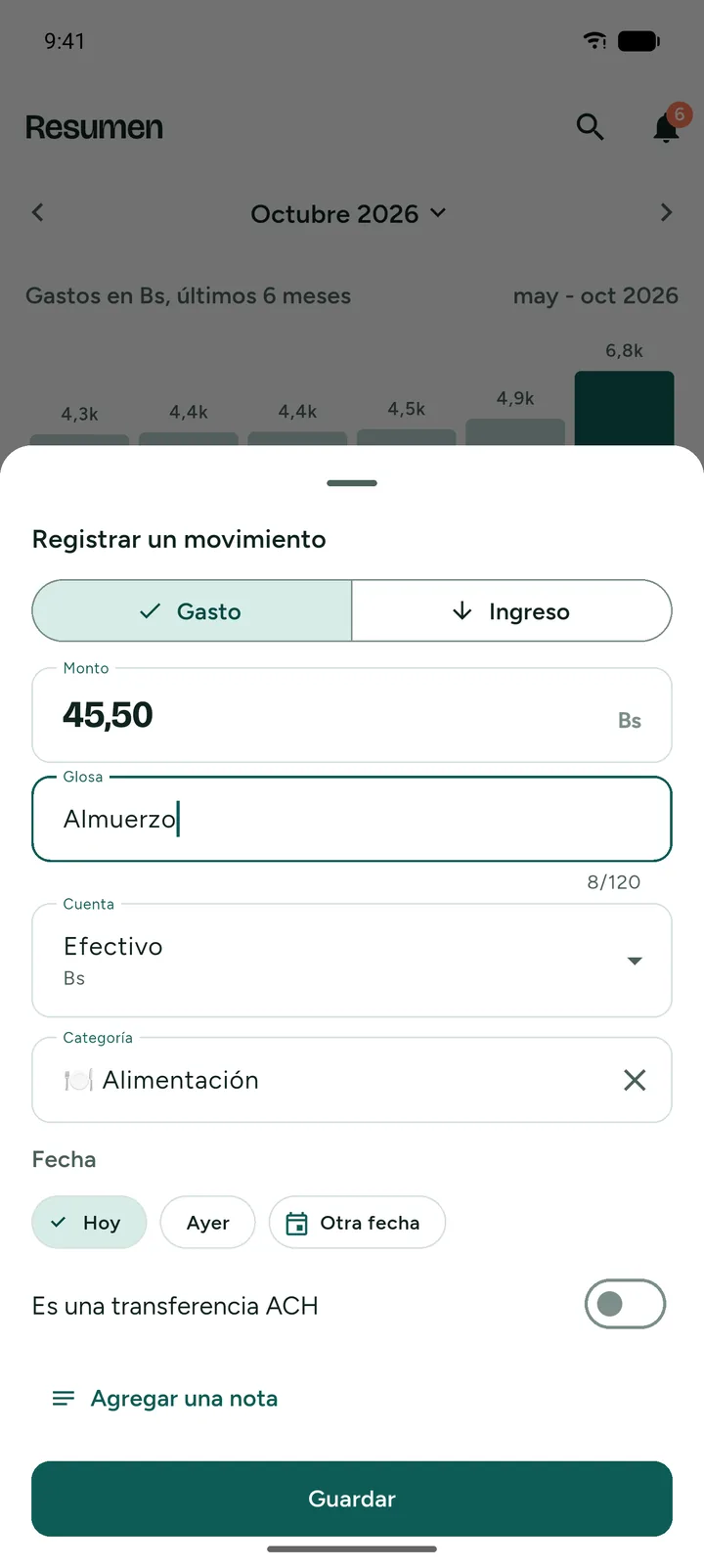
Add by hand New
Tap Add on Summary, type the amount and what it was for. It can be an expense or income, in your cash account or in any of your accounts. It uses no credits.
In seconds
The date starts at today and you change it if you need to. You pick the category from your list, with a search box.
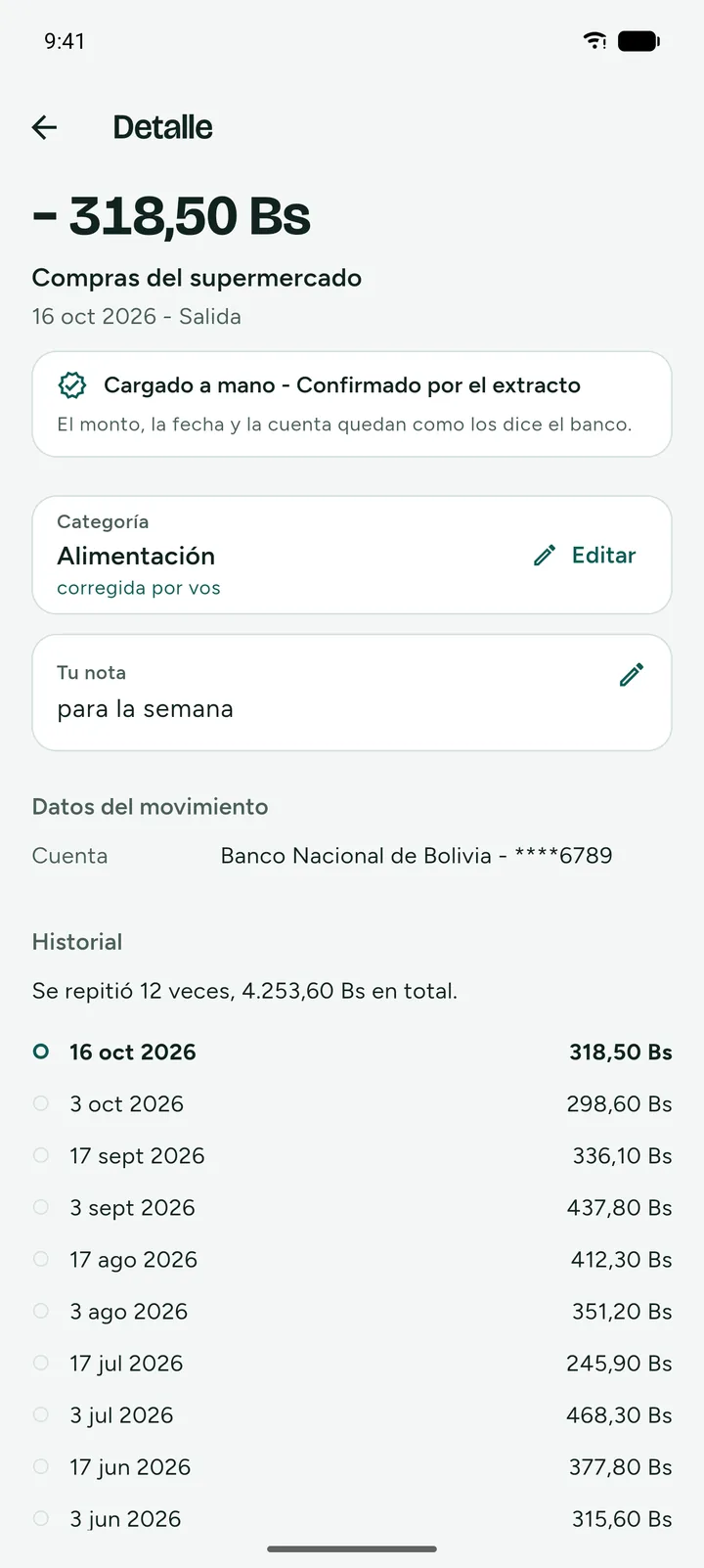
No duplicates
If you later upload the statement that has that transaction, the app recognizes it and doesn't count it twice. It's marked as confirmed by the statement, with your description and your note.
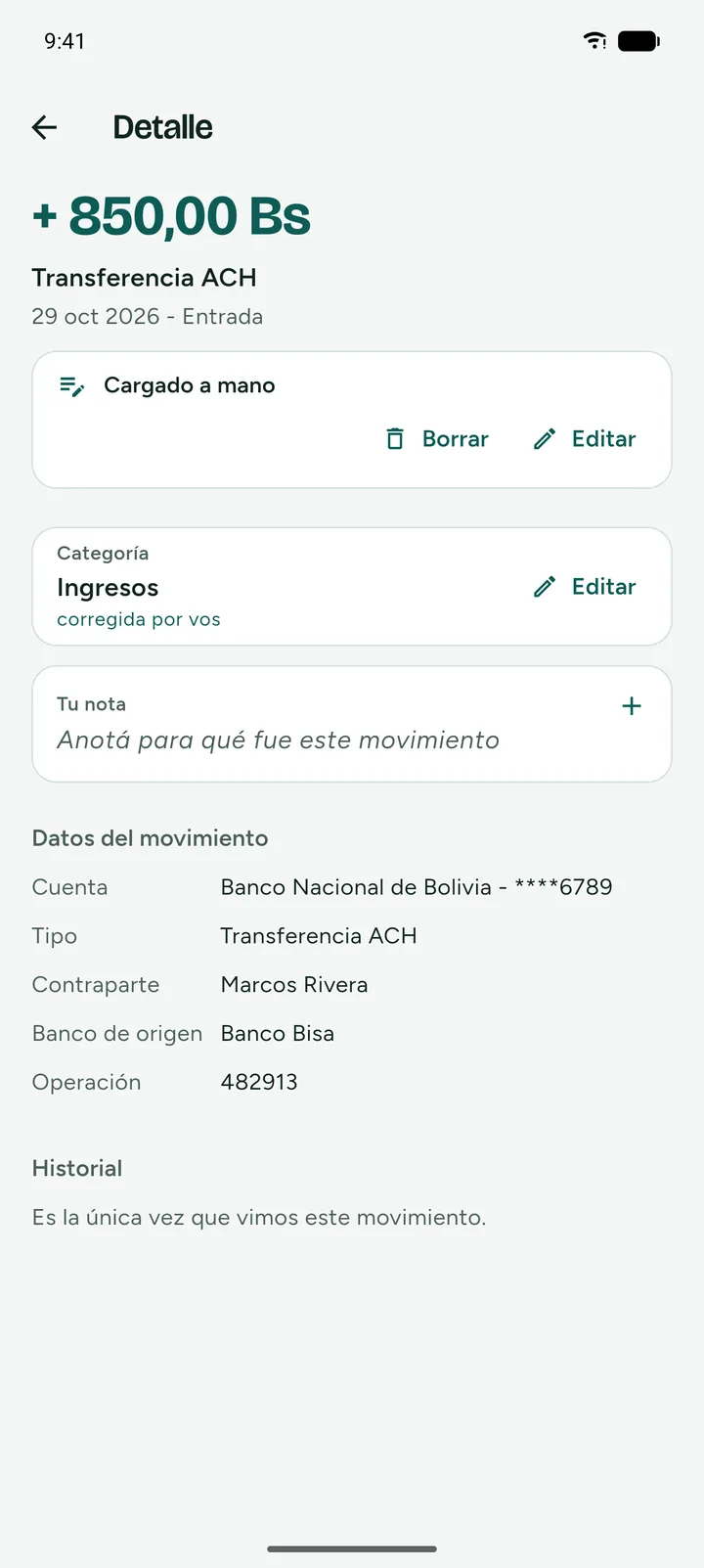
ACH transfers
If you add an ACH transfer, you include who sent it or who got it, the bank and the operation number. Later you find it with search.
Alerts, on Premium
Every time you upload a statement, the app compares it with your previous months. If something doesn't add up, it shows up under the bell. On the free plan the app still looks for them and tells you how many it found.
The same charge twice, on the same account and the same day.
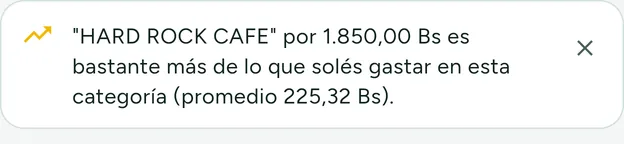
An expense much higher than what you usually spend in that category.

What gets charged on its own every month, so you decide if you keep paying it.

A subscription that started charging you more than before.

How much your bank charged you in the month, all added up.

A charge in dollars or made from another country, so you spot right away a purchase you didn't make.
Do you recognize this expense?
When something doesn't add up, the app asks you. Right if you recognize it and left if you don't. The ones you recognize go away on their own after 30 days.
Discover
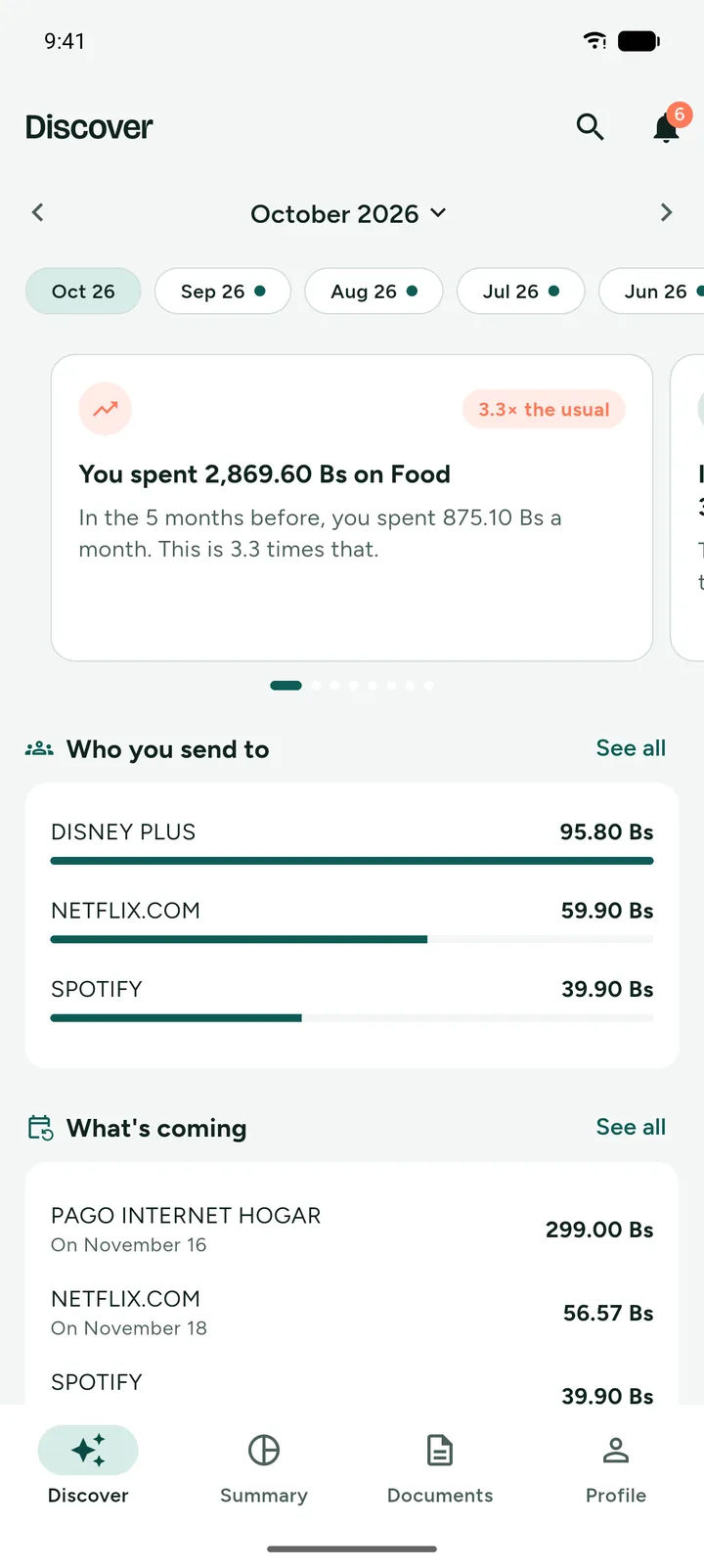
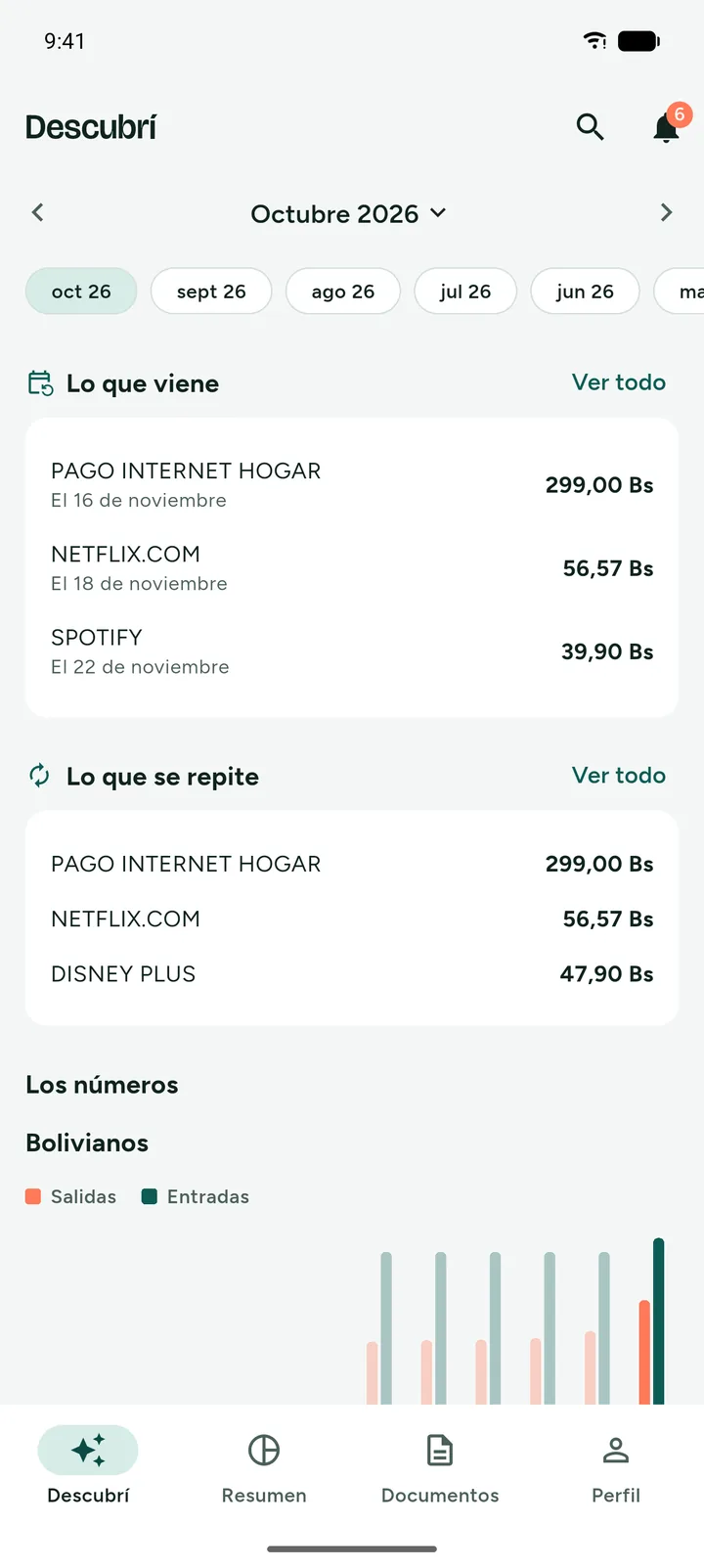
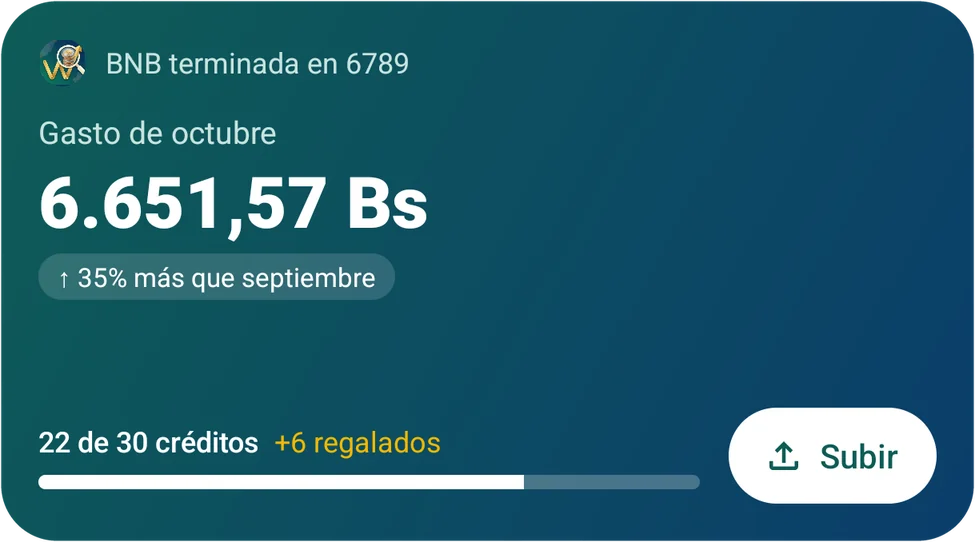
Discover is the first tab of the app. At the top, cards with the highlights of the month go by. Below are the charges that repeat and the ones coming.
What's coming New
The charges that repeat and fall in the next 30 days, with date and amount. On the free plan too. If you upload statements of several months, they show up in a row and the ones you haven't opened yet are marked.
Highlights
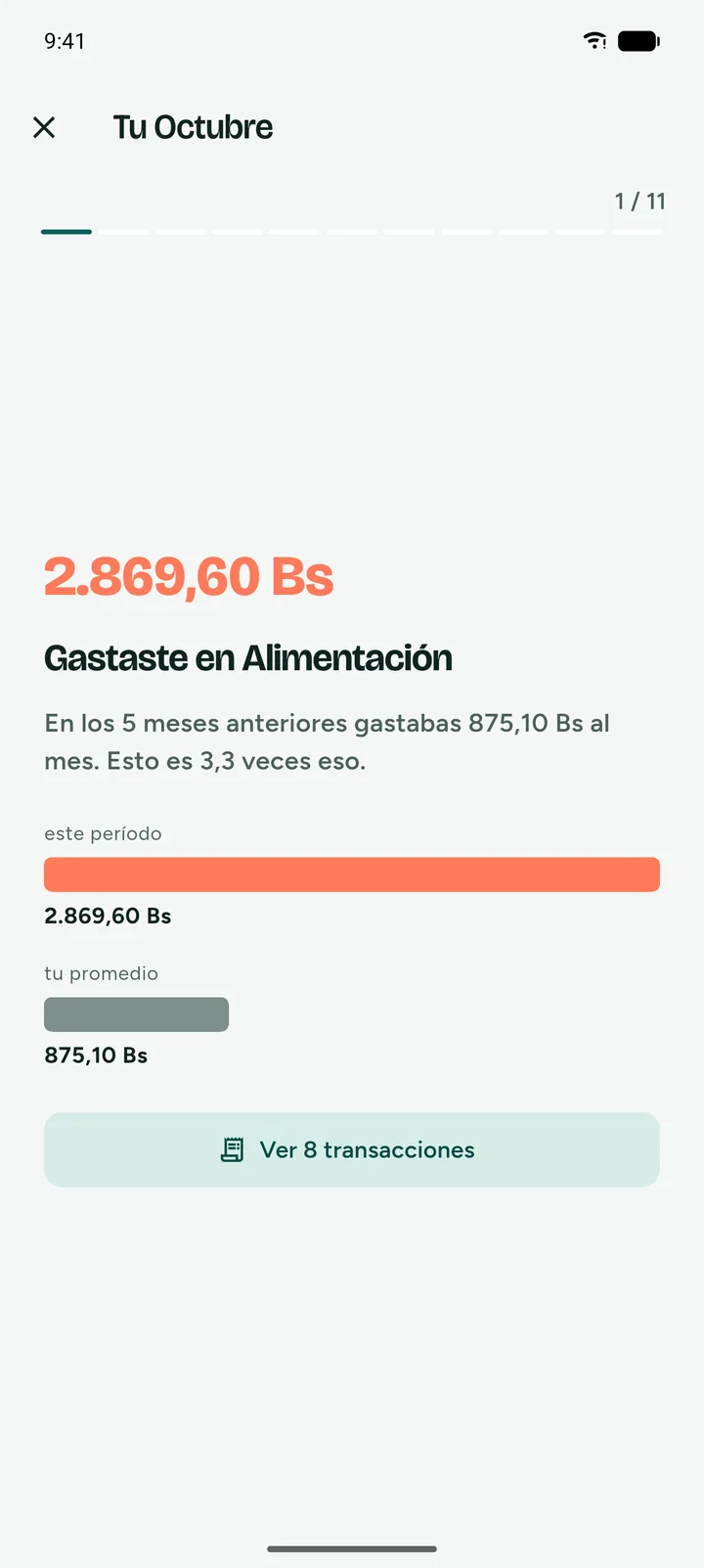
Your month in cards you go through one by one, like your biggest expense or a category that went above your average. Each one takes you to the transactions behind it.
Accounts
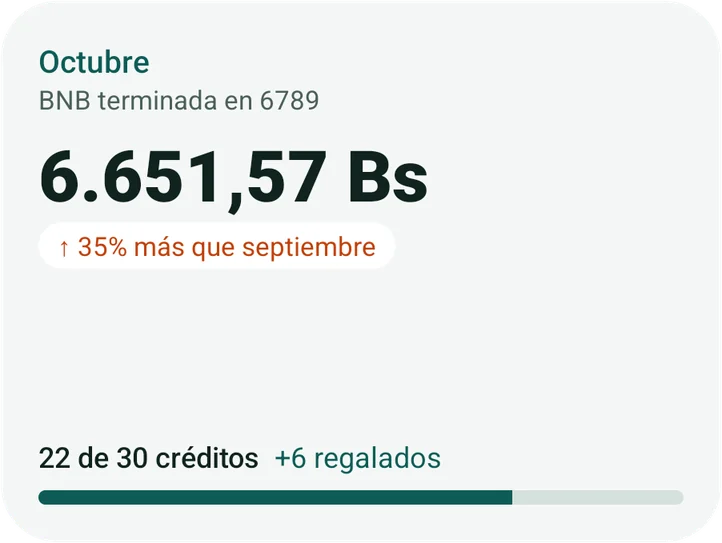
The app recognizes when two statements are from the same account. If it can't tell which bank it is, it asks you instead of guessing. The number stays covered until you tap the eye.
Search
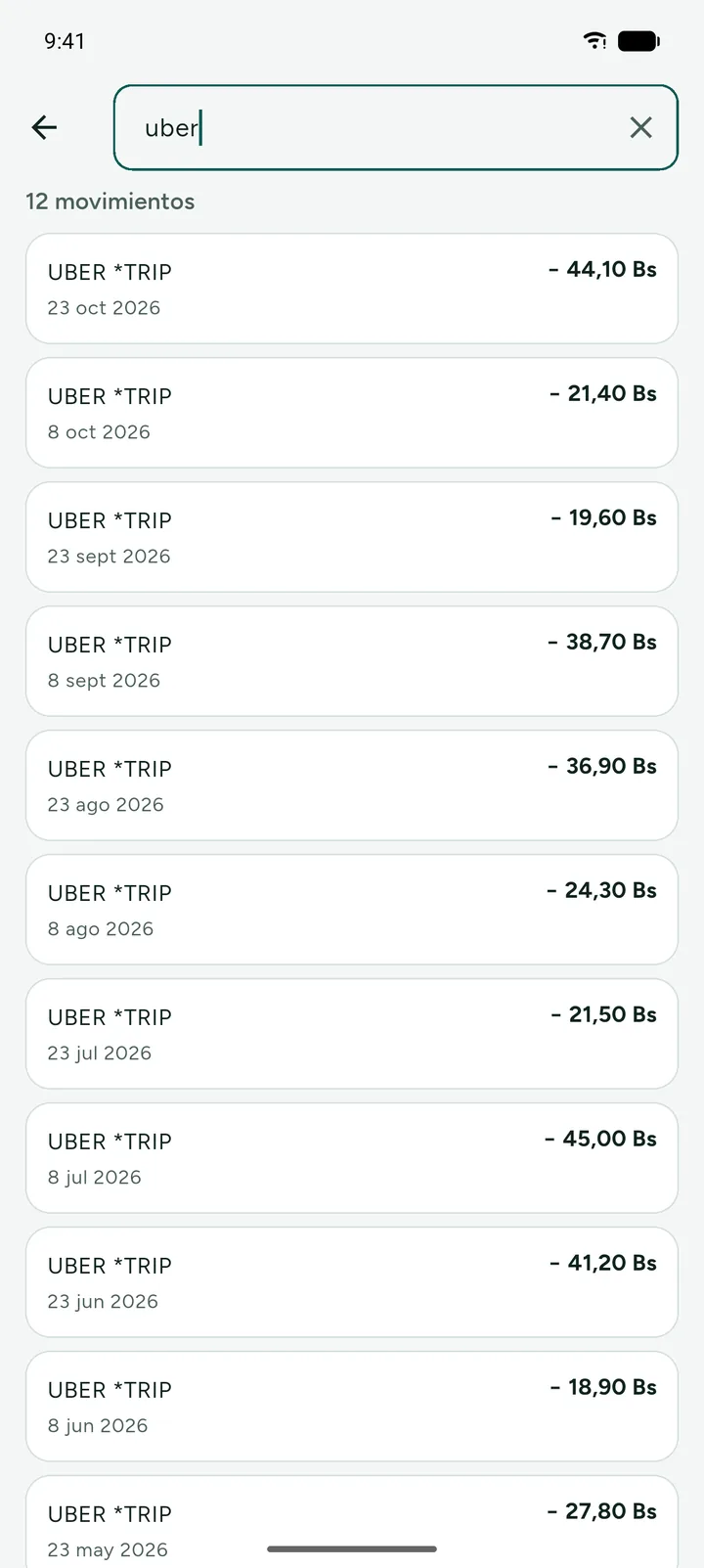
Type the name of a shop or an amount and its transactions show up, from all your accounts. On the free plan it searches the last 3 months.
Invitations New
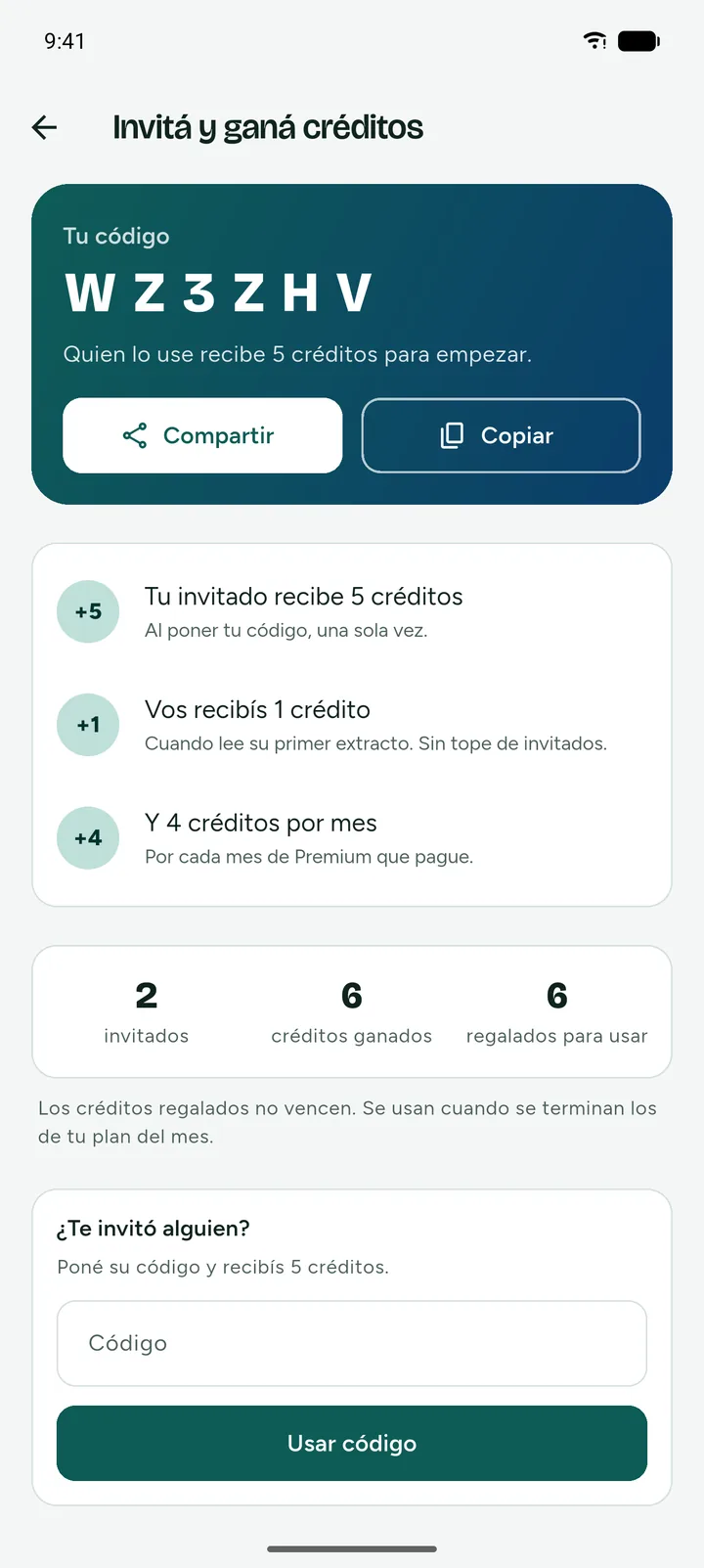
Whoever uses your code gets 5 credits. You earn 1 when their first statement is read and 4 for each month of Premium they pay. Gifted credits don't expire.
Your data
We don't ask for passwords or touch your accounts. We only read the file you upload.
It's read when you upload it and discarded as soon as the reading ends. What stays are the transactions. There is only one exception. If two uploads in a row fail, we hold it for up to 10 minutes while we ask whether you want to send us a report, and only if you agree do we keep it until it's solved, 7 days at most.
From the app, without writing to anyone. Your account and your email go at once, and the transactions left without an owner are deleted after 90 days.
We keep the full account number, covered on screen, because that's how we know two statements are from the same account. And the document is read by an AI model from Anthropic, which doesn't use it for training.
Read the Privacy Policy and the Terms and Conditions. They're short, and the Spanish version is the one that applies.
Plans
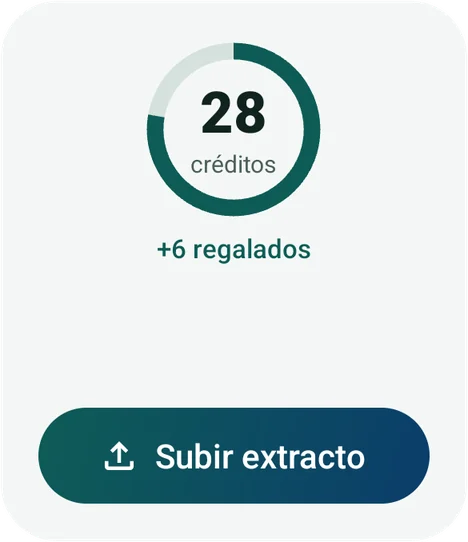
Each credit reads one month of a statement of one account. Adding by hand uses no credits. The free plan is enough to follow your month, and Premium brings in your whole history at once.
To see where your money goes every month
Forever
To have all your accounts and your whole history
or Bs 399 a yearWorks out to Bs 33.25 a month
Billed through Google Play. You cancel from the store and stay Premium until the date you already paid for.
Frequently asked questions
Any other question? Write to us at info@camba-labs.com
No. We have no access to your accounts, we don't move money and we never ask for your bank passwords. The only thing the app sees is the statement file you upload.
Yes. On Summary tap Add, type the amount and what it was for. If that expense later shows up in a statement, it merges with what you added instead of being counted twice. It uses no credits.
Choose Premium in the app and Google Play gives you 14 days without charging you. If you cancel from Google Play before they end, you pay nothing.
Each credit reads one month of a statement of one account. A three-month statement uses three. The free plan has 4 per month and Premium has 30. Adding by hand uses no credits.
They're part of Premium. On the free plan the app still looks for them and tells you how many it found, so when you upgrade they're already there.
We tested it with real statements from BNB, BCP, Bisa, Banco Económico and Mercantil Santa Cruz. With other banks in Bolivia it usually works the same, because it doesn't depend on a fixed format. If yours isn't recognized, the app asks you which one it is instead of guessing.
It can happen. The reading is done by an artificial intelligence model and it isn't perfect, so your statement is still the source of truth. You can fix the category of any transaction, and if the whole reading went wrong, delete the document and upload it again.
The content of the document is sent to Anthropic, the company behind the model that reads it, without your name or your email. They don't use it to train their models. The file isn't kept, unless you agree to send us an error report. In that case it's also seen by whoever looks at it on our team, for 7 days at most. The full detail, provider by provider, is in the Privacy Policy.
Every account has its code. Whoever uses it gets 5 credits, once. You get 1 credit when that person uploads their first document and 4 for each month of Premium they pay, with no cap. Gifted credits don't change the 4 or 30 of your plan, they're spent after those and they don't expire.
No, they're free. If you sign out, the widget asks you to sign in to the app.
Yes, in Spanish and in English. It follows your phone's language and you change it in My account. Alerts and emails reach you in the same language.
Not for now. Where's My Money is only on Android, on Google Play.
Your email, your name and your password are deleted right away. The transactions are left with nothing tying them to you and are fully deleted after 90 days. If you have Premium, cancel it in Google Play first, because deleting the account doesn't stop the store from charging you.
Download it, upload this month's PDF and see where it went. The first 14 days of Premium are on us.
Get it on Google PlayAvailable for Android.